
If you manage pay-per-click advertising campaigns for a local or service area business, then you know it can be challenging to find success. You might compete with national brands, pay for expensive clicks, or struggle to target your ideal customers. To maximize your results, here are 6 key tips to improve your local search campaigns.
Advanced Location Targeting Settings: The default Google Ads location targeting setting is “Presence or Interest,” which is defined by Google as targeting “people in, regularly in, or who’ve shown interest in your included locations.” This setting allows your ads to be shown beyond your target area to users who may not be relevant. Select “Presence” to only show your ads to users “in or regularly in your included locations.”

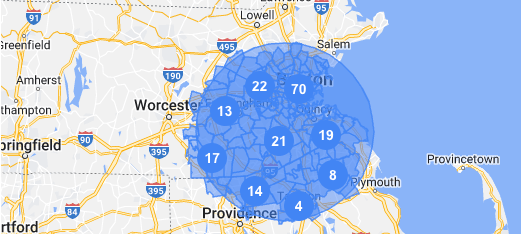
Geo-Layering: Continuing with Google Ads location settings, Geo-Layering is a technique to help Google better identify users within your target location areas. When you add locations to your Google Ads campaign, such as counties, states, or a radius around an address, you can also add smaller location parameters, such as cities and zip codes. This extra effort may seem redundant, but adding additional location parameters within your larger location targeting can help Google best identify local areas and better place relevant users.
Specific, Exact Match Keywords: While Google Ads offers a variety of match-types for keyword targeting, exact match keywords receive the highest prioritization. Adding exact match keywords that include your products or service offerings and your locations or service areas can improve your ad rank to help your ads show higher and more often on the SERP.
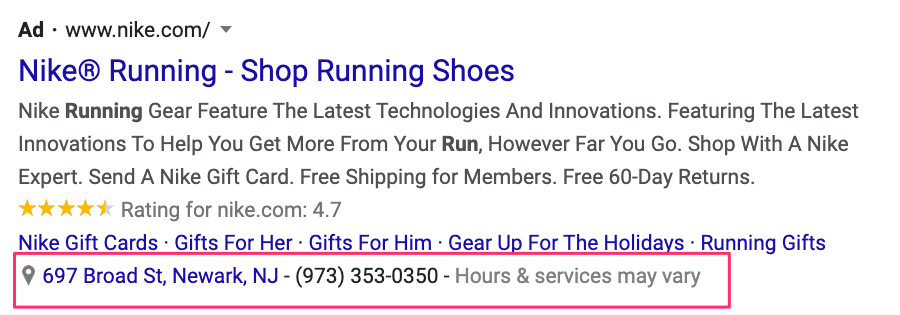
Location Assets (Extensions): Formerly known as extensions, assets are ad content that can enhance appearance and performance. Location assets allow you to sync with your Google Business Profile to show your business address with your ad. This helps highlight your store location and allows users to request directions from the ad.
Dynamic Location Insertion: To easily add all relevant locations to your ad copy, you can use location insertion in your responsive search ads. This allows your campaigns to detect the user’s geographic location and automatically add it to the ad copy, saving you time and keeping your messaging targeted.
Refine Negative Keywords: Negative keywords are used to prevent your ads from showing for irrelevant searches. Expanding your negative keywords to include locations that you do not serve can be an extra layer of protection to prevent your ads from showing to users who are not ideal customers. Read more about negative keywords here: Negative Keyword Optimization: Crucial for Paid Search Success
Often, the advice and recommendations for Google Ads campaigns are geared for national or e-commerce businesses, but local businesses can also succeed with Google Ads with the right approach.
 Andy Hendricks
Leave a comment